
Bring two videos together
Choose a recording of your own movement and a similar clip from a professional athlete. Trim and align the moments you want to compare.
Put your movement beside a pro reference. Replay the same moment, inspect body positions and angles, and turn the results into a focused practice goal.
Start with two clips. Leave with a specific movement to study and discuss.
Choose a recording of your own movement and a similar clip from a professional athlete. Trim and align the moments you want to compare.
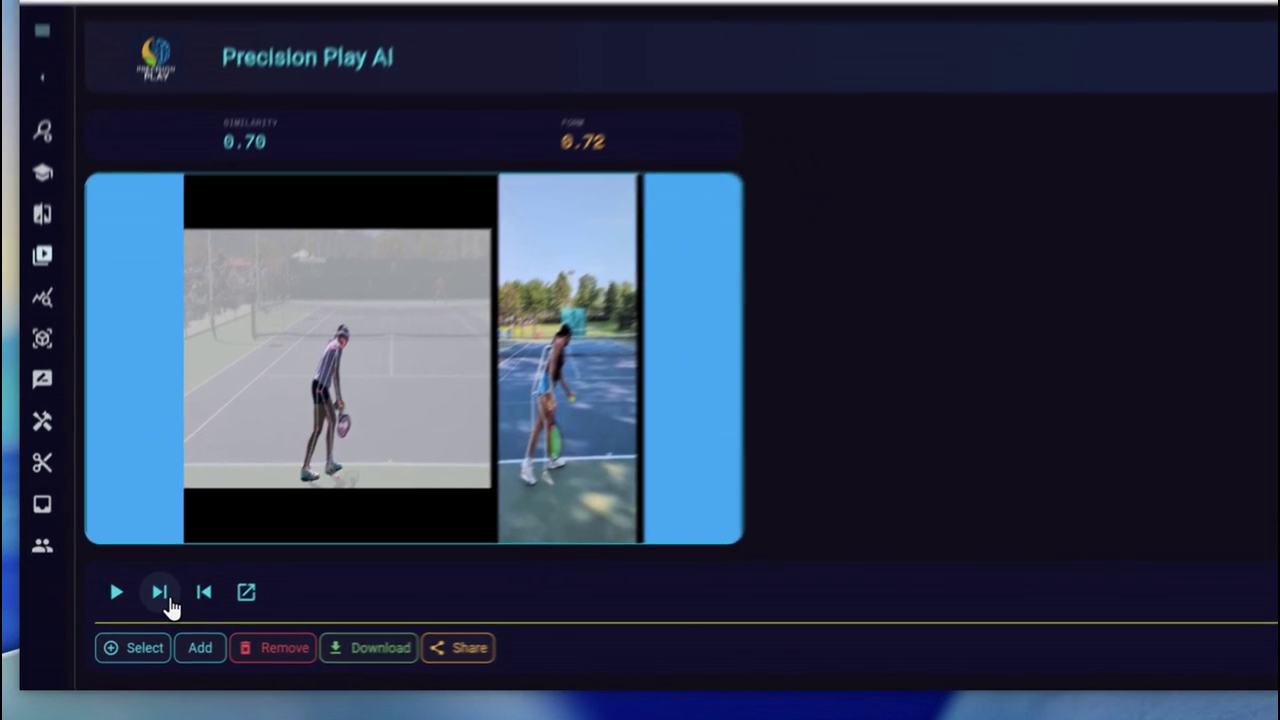
Watch the movements together with visual pose overlays. Similarity and Form scores help summarize the comparison while the video shows the detail.
Explore selected body positions and angles, replay the key frames, and use visual and spoken feedback to guide the next session.
See the app compare two tennis clips, show Similarity and Form scores, surface joint feedback, and explore a selected body position in 3D.
The video starts muted when it enters view. Click the picture to pause or resume, or use the player controls for playback and sound.
Watch the actual comparison, inspect the analysis, and explore a key frame from another perspective.
Play the two clips together with pose overlays. Similarity and Form scores sit beside the footage so you can judge the numbers in context.
See Similarity and Form scores beside the footage, then select joints and angles for feedback tied to a specific movement.
Generate a rotatable body view of a selected frame to inspect a position from another angle.
Compare your footage with a pro reference and bring one clear observation into your next practice.